
 TerraPlan
Use TerraPlan on a phone or iPad, and offline
Touch gestures, the phone layout, Apple Pencil, adding TerraPlan to your home screen, and drawing in a crawl space with no signal.
TerraPlan is built for touch. It works in Safari or Chrome on an iPad or phone, and it keeps working when you lose signal under the house.
Touch gestures
- Draw: press, drag and let go. A round magnifier shows what's under your finger.
- Pick something up: tap it. While a drawing tool is on, you can also hold your finger still on an item for half a second.
- Move around: drag with two fingers. Pinch to zoom. Fit at the bottom brings the whole plan back.
- Apple Pencil: draw with the Pencil and rest your hand on the glass. Touches from your palm are ignored while the Pencil is down.
The phone layout
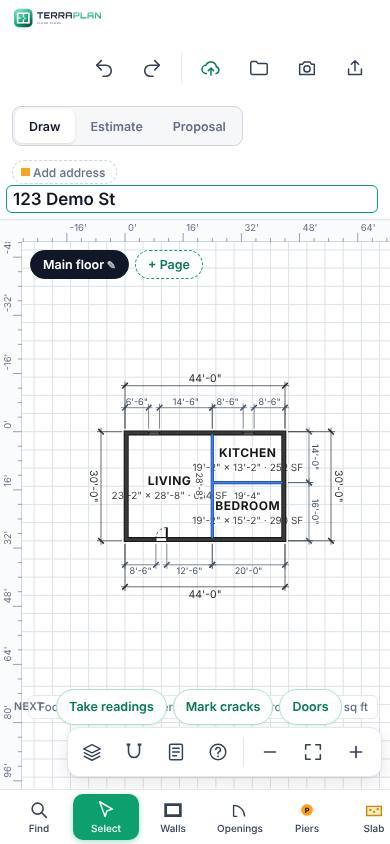
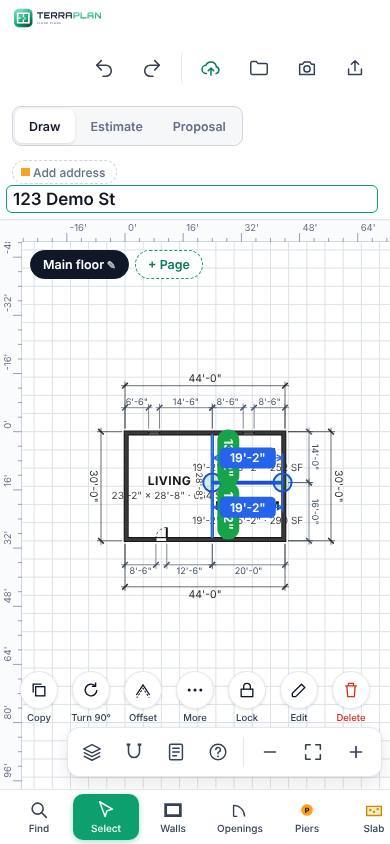
On a phone the tool rail moves to a row along the bottom (swipe it sideways for more groups). The selection buttons sit in a row above it, and the top bar shows icons only (on an iPad held upright too). The pier types scroll sideways in one row. The Edit panel stays closed until you tap Edit, so it doesn't cover the plan. Tips are hidden to save room.
Add TerraPlan to your home screen
- Open TerraPlan while you have signal.
- On an iPhone or iPad, tap the Share button in Safari, then Add to Home Screen. On Android, open the Chrome menu and pick Add to Home screen or Install app.
- Open TerraPlan from the new icon. It opens full screen like an app.
Work with no signal
- Open TerraPlan once with signal, so the device keeps a copy of the app and your project list.
- Under the house, keep drawing. Every change is saved on the device as you go.
- Tap Save as usual. With no signal, TerraPlan says it saved on the device and will upload when you're back online. The top bar shows Offline and how many plans are waiting to upload.
- When the signal comes back, the plans upload by themselves and TerraPlan tells you how many went up.
With no signal, the Projects screen says You're offline and shows what's on the device: the project list as it was the last time it loaded, the drawing you had open, and drawings Waiting to upload. Projects that aren't on the device say Opens with signal.
Thanks for letting us know.
Still need help?
Send us a message and a real person on the Terralox team will get back to you, usually the same business day.