
 TerraPlan
Keyboard shortcuts
Every keyboard and mouse shortcut in TerraPlan, for drawing on a laptop or an iPad with a keyboard.
On a laptop, or an iPad with a keyboard, these keys save a lot of tapping. On a Mac, use ⌘ where it says Ctrl.
Pick a tool
| Key | Tool |
|---|---|
| V | Select |
| H | Move map |
| X | Trim |
| W | Walls |
| I | Interior walls |
| R | Room |
| D | Door |
| N | Window |
| P | Pier |
| B | Beam |
| E | Reading |
| C | Crack |
| T | Note |
| M | Measure |
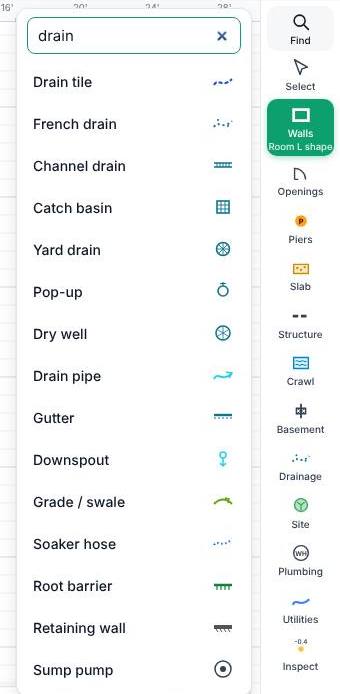
For any other tool, tap Find at the top of the tool rail, type part of its name and press Enter to pick the first match.
Edit
| Keys | What it does |
|---|---|
| Ctrl + Z | Undo |
| Ctrl + Shift + Z | Redo |
| Ctrl + C | Copy the selection (you can paste it into another plan) |
| Ctrl + V | Paste |
| Ctrl + D | Duplicate the selection |
| Ctrl + A | Select everything you can see that isn't locked |
| Delete or Backspace | Delete the selection |
| Esc | Stop drawing, or let go of the selection |
| Enter | Finish a shape you're drawing |
Move around
- Hold Space and drag to move the view.
- Scroll the mouse wheel to zoom in and out where the pointer is.
- Drag with the middle or right mouse button to move the view.
Number pad and length box
| Keys | What it does |
|---|---|
| 0 to 9 and . | Type the number |
| ' or - | Jump from feet to inches |
| / and Space | Type a fraction of an inch, like 6 1/2 |
| Tab | Next box |
| Backspace | Delete the last digit |
| Enter | Set it |
| Esc | Close the pad without changing anything |
In the Length box on the drawing bar, the arrow keys draw the next wall that way.
Was this article helpful?
Thanks for letting us know.
Still need help?
Send us a message and a real person on the Terralox team will get back to you, usually the same business day.