
 TerraPlan
Take floor readings and mark cracks
Type elevation readings straight from your laser or ZipLevel, correct them for floor finishes, and mark cracks with where, how bad and how wide.
Readings and cracks are what the proposal's "What we found" is written from. Type readings the way the instrument shows them, and TerraPlan converts them to inches from one zero point.
Set up the readings
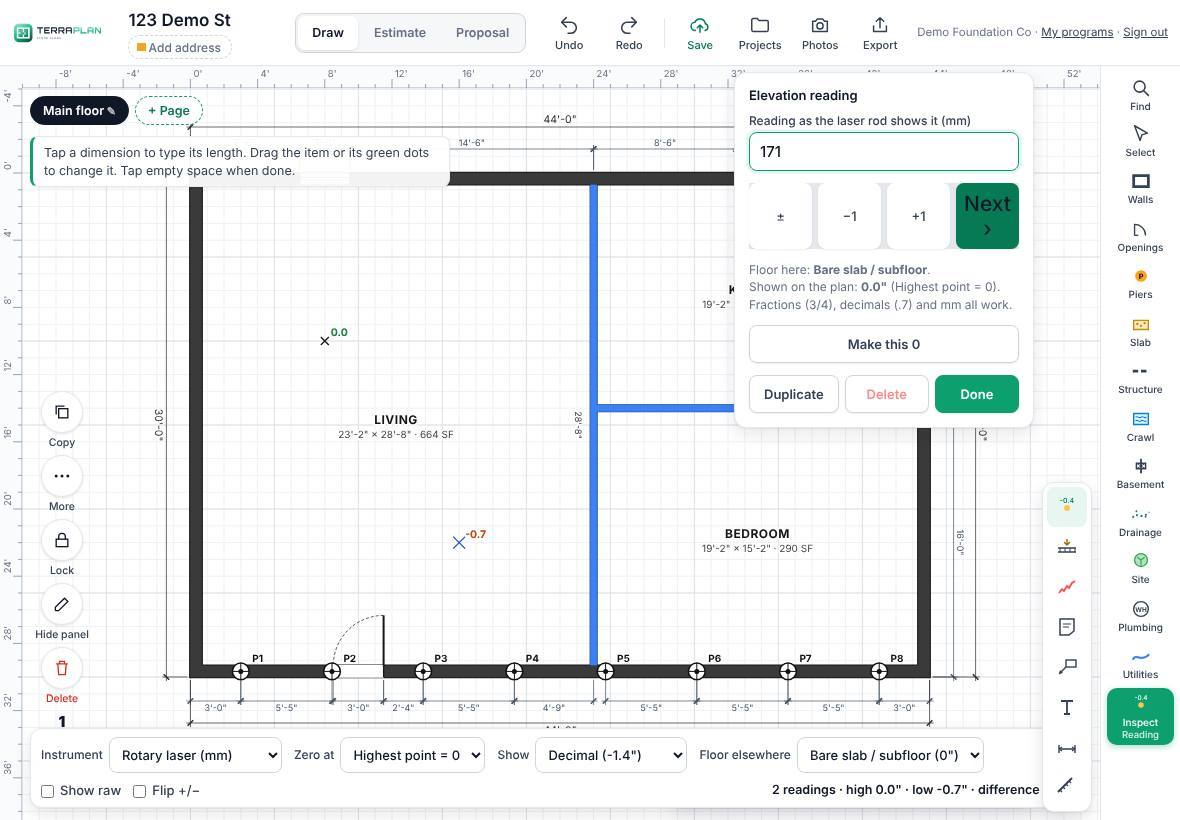
- Tap Inspect in the tool rail, then Reading. The level bar opens at the bottom.
- Set Instrument: Rotary laser (mm), Rotary laser (inches) or ZipLevel / relative (in).
- Set Zero at: Highest point = 0, Lowest point = 0 or Picked point = 0.
- Set Show to decimals (-1.4") or fractions (-1 3/8"). Floor elsewhere is the floor finish anywhere you haven't marked one (bare slab or subfloor to start).
Take readings
- Tap the spot where you took the reading. A box opens on the right.
- Type what the instrument shows: 152 for a laser in mm, or 6 1/4, 3/4 or .7 for inches.
- Use ±, the step keys (−1 and +1, or −⅛ and +⅛) if you need them, then tap Next › (or press Enter). Shown on the plan in the box updates as you type, so you can see the converted value before you move on.
- Tap the next spot. The tool stays on.
Every reading on the plan updates as you go. The bar shows the count, the high, the low and the difference.
Mark cracks
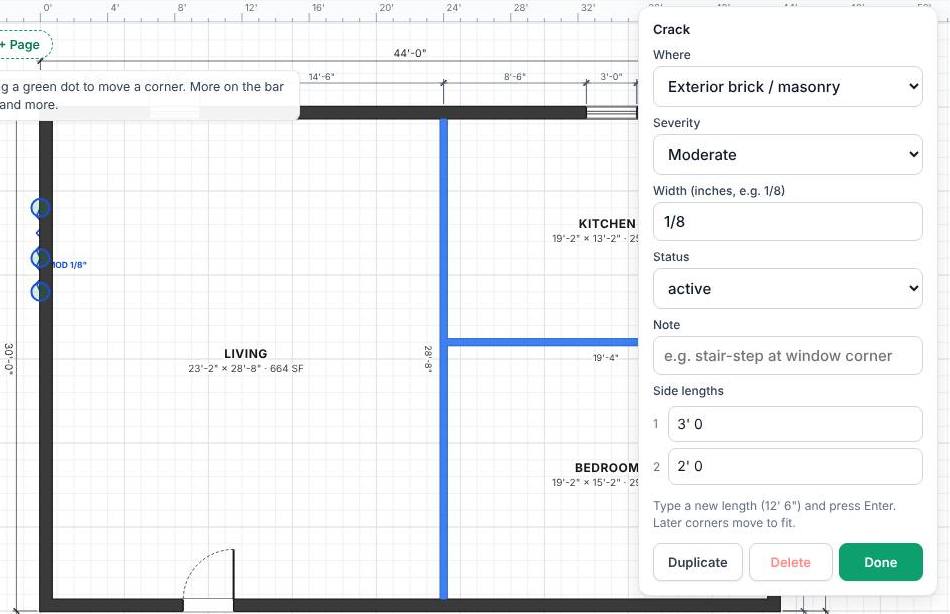
- Tap Inspect, then Crack.
- Drag along the crack. Bends are fine: drag again from the end to keep going.
- Select the crack and tap Edit to set:
- Where: Exterior brick / masonry, Interior drywall / plaster, Foundation / stem wall or Slab / floor.
- Severity: Minor, Moderate or Severe.
- Width (inches, e.g. 1/8), Status (active, monitor, previous repair) and a Note.
New cracks use the last Where and Severity you picked. Each kind has its own color and line style, so it still reads in black and white.
Related questions
Can I see the readings as a heatmap?
Yes. Tap Export, then Send to TerraTopo (heatmap), or Heatmap in TerraTopo under Next.
Thanks for letting us know.
Still need help?
Send us a message and a real person on the Terralox team will get back to you, usually the same business day.