
 TerraPlan
Build an estimate and use the price book
Turn the drawing into priced line items, set up your company price book once, offer options, and create the proposal PDF.
The estimate builds itself from what you drew. Piers, anchors, drains, zones and other repair items each become a line, with the quantity counted from the drawing and the price taken from your company's price book.
Set up the price book (once)
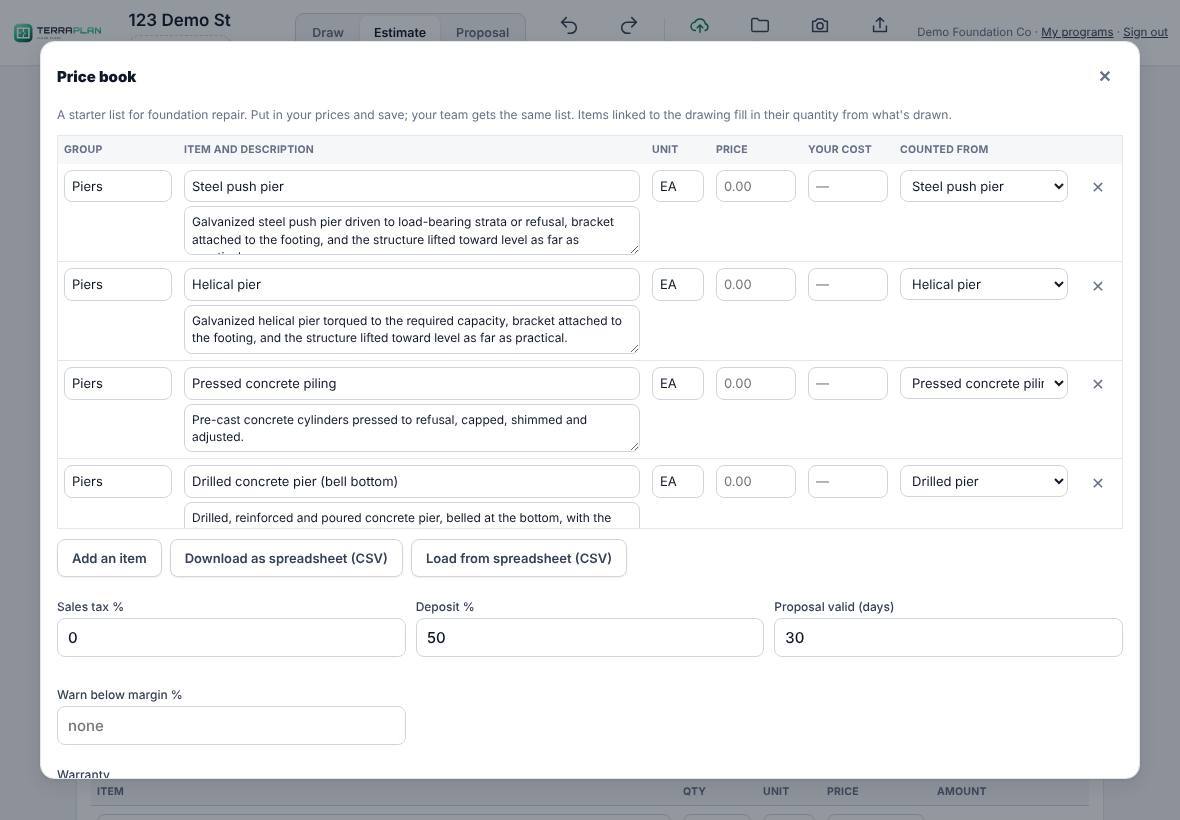
- Tap Estimate in the top bar, then Price book.
- TerraPlan starts you with a list of common foundation repair items. Prices start empty. Type your Price for each item you sell, and Your cost if you want to see margins.
- Counted from ties an item to what's drawn (for example "Steel push pier" or "Void fill (cubic yards)"), so its quantity fills in by itself.
- Set Sales tax %, Deposit %, Proposal valid (days), the Warranty and the Terms and conditions.
- Tap Save price book. Your whole company gets the same list.
Build the estimate
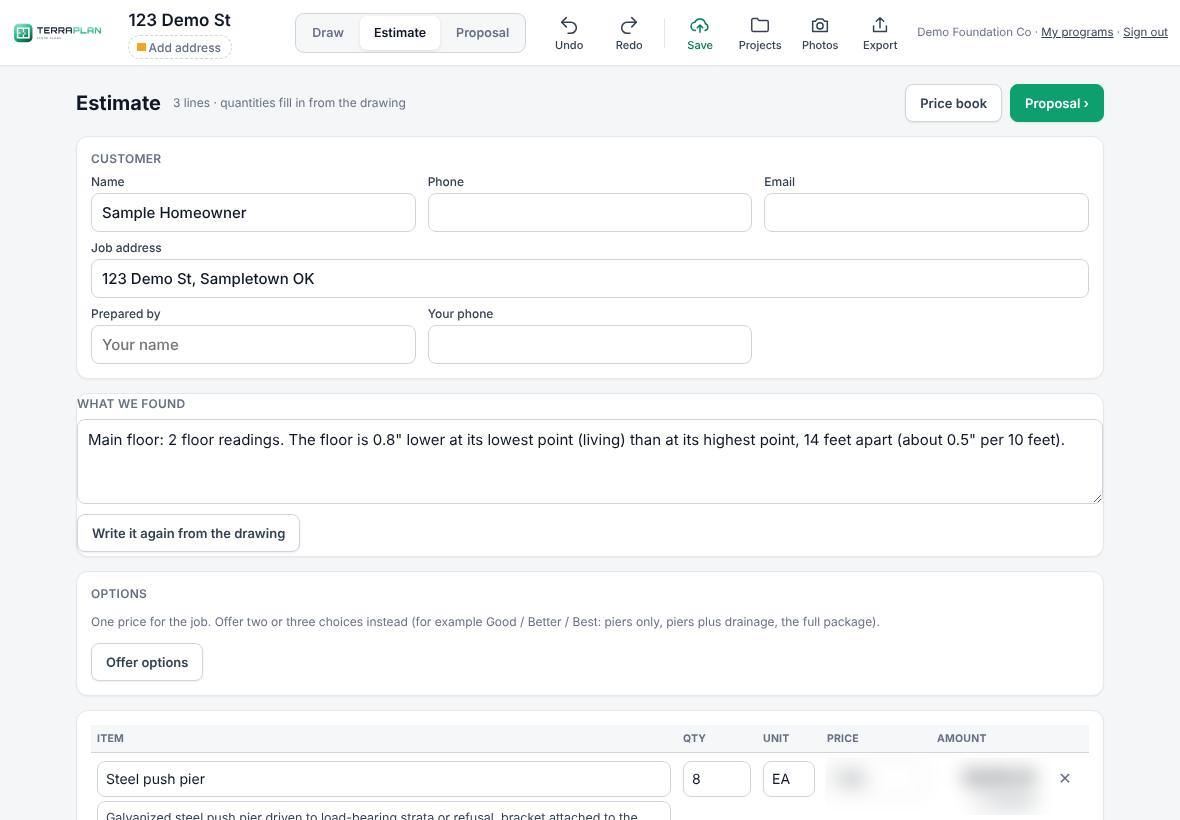
- Draw the job, then tap Estimate.
- Fill in Customer: name, phone, email and job address. Prepared by and Your phone are remembered on your device.
- Check What we found. It's written from the readings, cracks and existing piers on the drawing. Change it however you like, or tap Write it again from the drawing.
- Check each line. "From the drawing" shows what was counted. Typing your own quantity keeps it; tap use and the drawn number to go back.
- Add anything else with Add from price book… or Add a blank line. Tick Optional for items that shouldn't count in the total.
- Set a Discount (% or $), and check Sales tax % and Deposit %.
The totals show subtotal, total, deposit and Balance at completion. If you entered costs, a box marked Only you see this shows your cost and margin. It never goes on the proposal.
Offer options
Tap Offer options for Good, Better and Best columns. Under each item, tap an option's name to take the item out of that option or put it back. Pick which one is Recommended. Back to one price returns to a single total.
Make the proposal
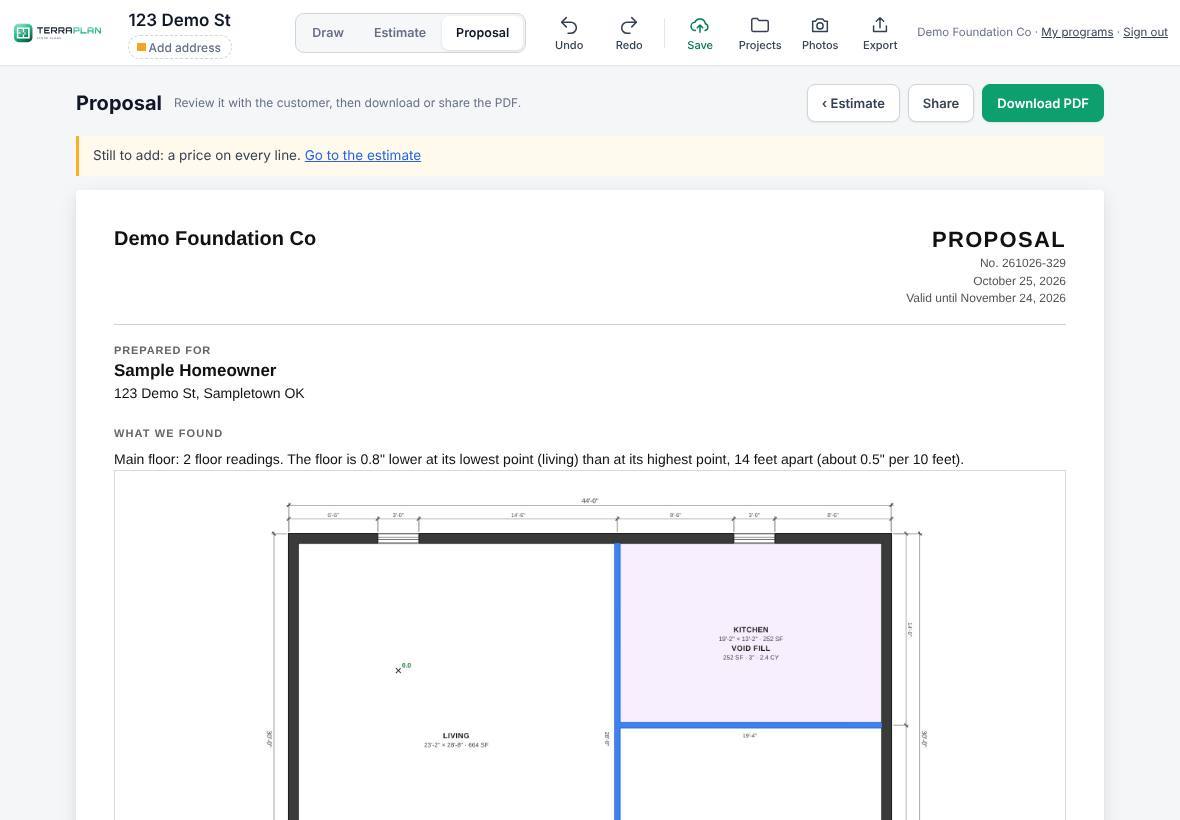
- Tap Proposal ›. TerraPlan lays out your company name, the customer, what you found, the drawing, the scope of work, the price, the warranty and the terms.
- If something is missing, a note says what, such as "a price on every line".
- Tap Download PDF, or Share to send it from your phone or iPad.
Thanks for letting us know.
Still need help?
Send us a message and a real person on the Terralox team will get back to you, usually the same business day.