
 TerraPlan
Add piers and space them
Place piers one at a time or in an evenly spaced row, set their type, spacing and numbers, and mark existing piers.
Piers snap to the centre of the foundation wall and number themselves P1, P2 and so on. They're counted by type for the estimate and listed on the crew install sheet.
Pick the pier type
- Tap Piers in the tool rail. The pier bar opens at the bottom.
- Under Pier type, pick Steel push pier, Helical pier, Sleeve-lock pier, Pressed concrete piling, Drilled / bell-bottom pier or Interior slab pier. Each type has its own mark so the crew can tell them apart.
Place piers one at a time
- Under Place, pick One at a time.
- Tap along the wall where each pier goes. Near a wall it snaps to the centre of the wall.
Place a row
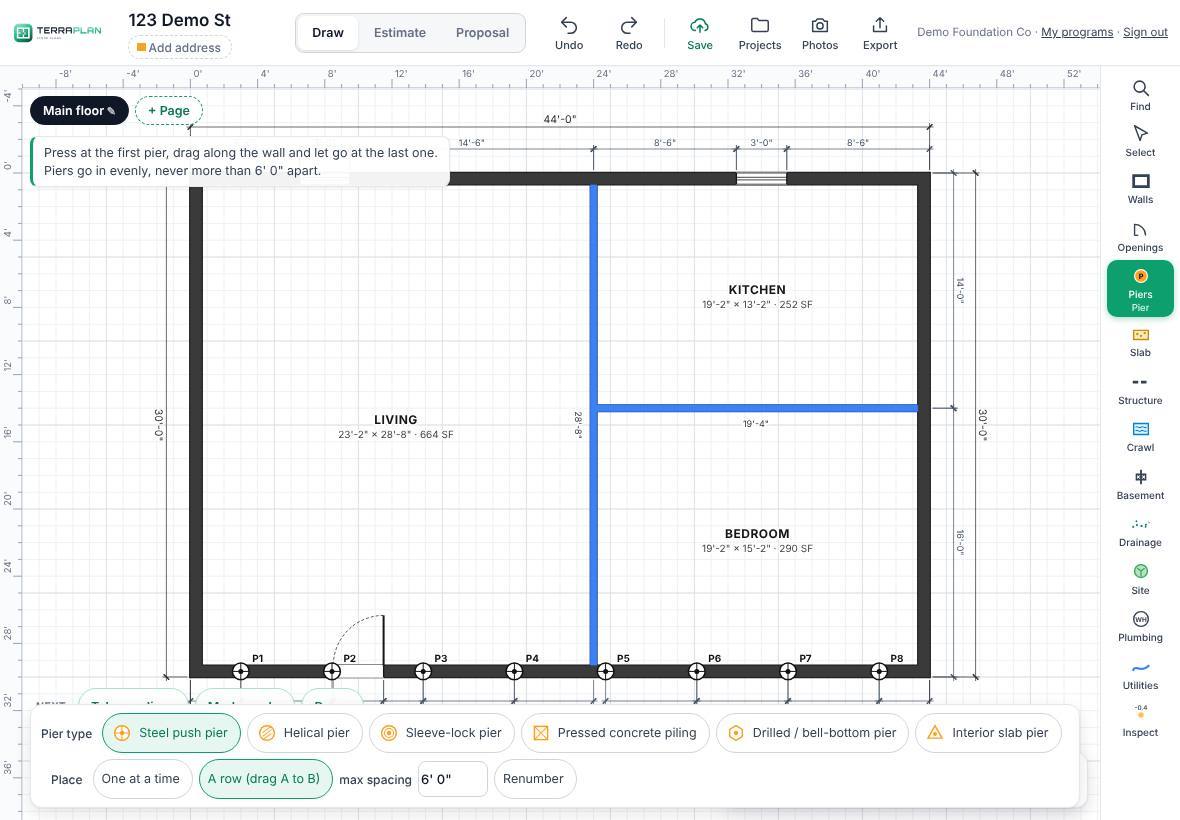
- Under Place, pick A row (drag A to B).
- Set max spacing, for example 6' 0".
- Press at the first pier, drag along the wall and let go at the last one. Piers go in evenly from end to end, never farther apart than the max spacing.
Other ways to space them
- Along a whole wall: select the wall or outline, tap Edit, type a spacing under Piers along this wall and tap Add piers.
- Copies at a spacing: select one pier, tap Repeat on the selection column, then type the spacing and how many more.
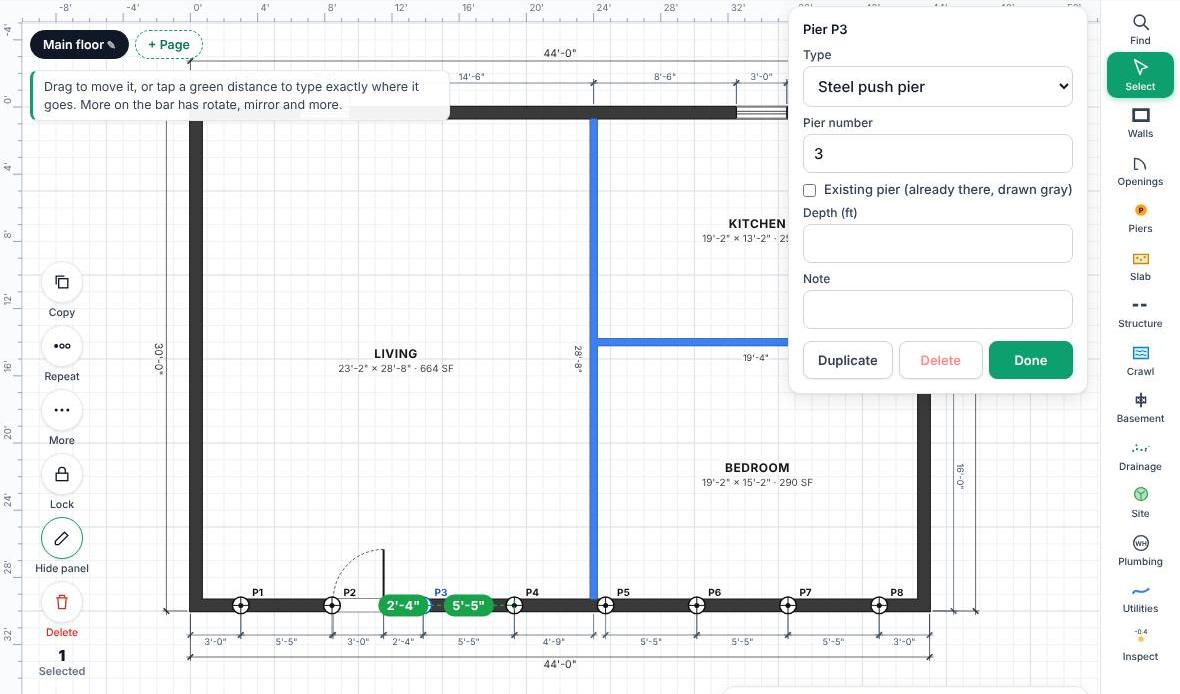
- Exact spot: select a pier. Green labels show the distance to the corners and to the next pier, door or window. Tap one and type the distance.
Pier details
Select a pier and tap Edit:
- Type and Pier number.
- Existing pier (already there, drawn gray) for piers from an earlier repair. They're left out of the estimate.
- Depth (ft) and Note print on the crew install sheet.
Related questions
Why won't a pier land where I tap?
Near a wall, piers snap to the wall's centre line, and a row skips spots that already have a pier. To place one freely, turn Snap off at the bottom, place it, and turn it back on.
Was this article helpful?
Thanks for letting us know.
Still need help?
Send us a message and a real person on the Terralox team will get back to you, usually the same business day.