
 Account, team and security
Reset or change your password
Forgot your password? Get a link by email to set a new one. Or change it any time on the Profile tab.
If you forgot your password, Terralox emails you a link to set a new one. If you know it and just want a new one, change it on your Profile tab.
Forgot your password
- Go to terralox.com and press Sign in.
- Press Forgot password? under the Sign in button.
- Check the email under Email for your account and press Email me a link.
- Open the email from Terralox called "Set your Terralox password" and press Set a new password. The link works for one hour.
- Type your new password (8 or more characters) under New password, type it again under Type it again, and press Save and sign in.
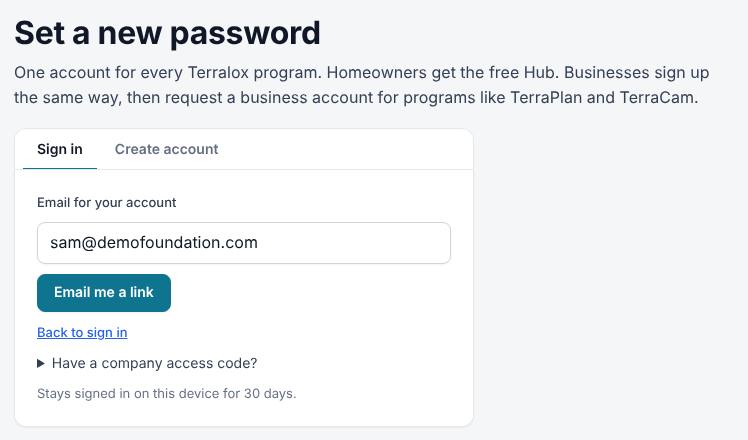
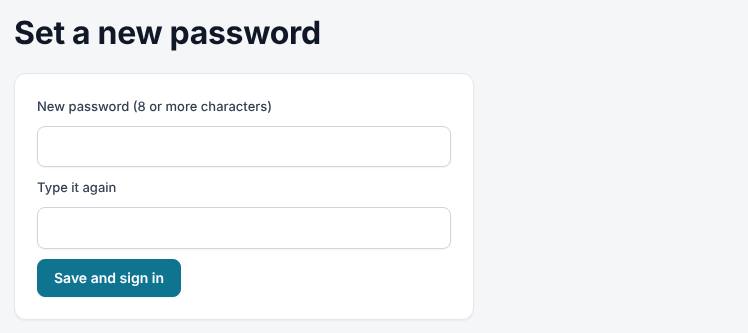
You're signed in and taken to My account.
Change your password while signed in
- Go to My account and open the Profile tab.
- Type the new password under New password (leave empty to keep the current one).
- Press Save.
Related questions
The link says it has expired or was already used
Each link works once, for one hour. Go back to Forgot password? and ask for a new one.
I sign in with Google. Do I have a password?
Not unless you add one. On the Profile tab the box says Add a password (optional; you sign in with Google). Type one and press Save if you'd like both ways to sign in.
I'm on a crew PIN
Crew logins don't have passwords. Ask your manager for a new PIN. See Sign in as a crew member.
It says too many wrong passwords
After several wrong tries the account waits 15 minutes. Wait, or use Forgot password? now: setting a new password clears the lock.
Thanks for letting us know.
Still need help?
Send us a message and a real person on the Terralox team will get back to you, usually the same business day.