
 Account, team and security
Invite your team and choose roles
Invite office staff and estimators by email, then choose each person's role and which programs they can use.
Give everyone at your company their own Terralox login. Office staff, estimators and managers get an email invite. Field crews can use a PIN instead (see Add crew members with a PIN).
Before you start
- You need to be the business owner or a manager. Only the owner and managers see the Team tab.
Invite someone by email
- Go to My account and open the Team tab.
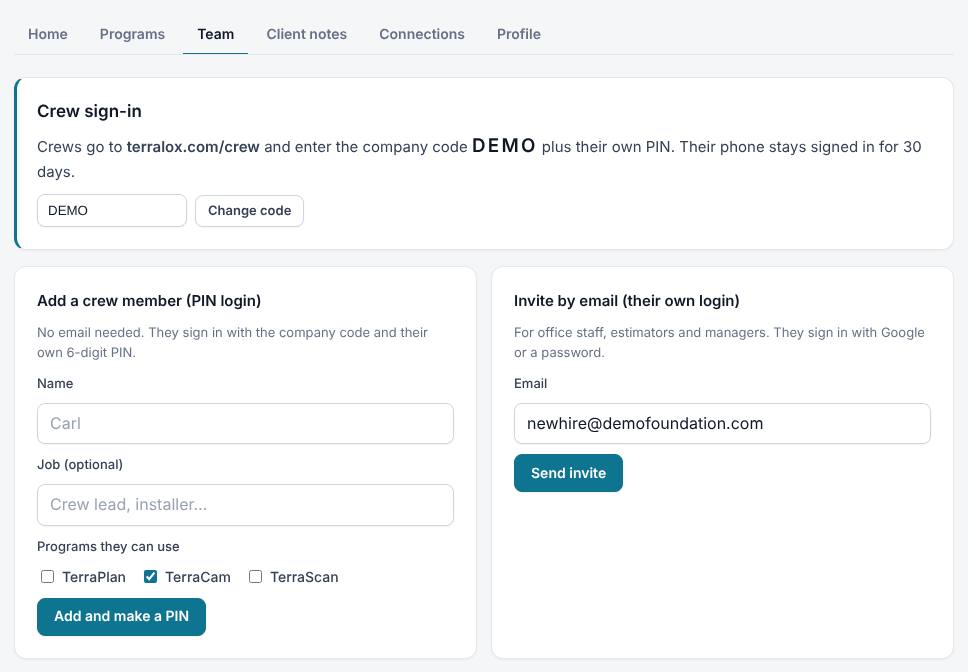
- Under Invite by email (their own login), type their Email.
- Press Send invite. They get an email with a Join the team button. The invite works for 14 days.
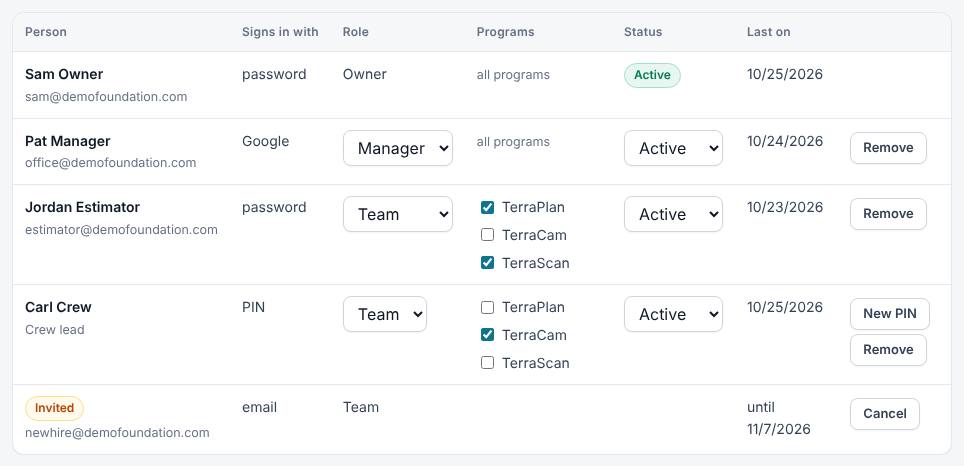
- Until they accept, they show in the team list as Invited. Press Cancel on that row to take the invite back.
Choose roles and programs
Everyone you invite starts as Team with every program your company has. Change it in the list at the bottom of the Team tab. Changes save as soon as you pick them.
- Under Role, pick Team or Manager (only the owner can make managers).
- Under Programs, untick any program this person shouldn't use. Owners and managers always have all programs.
- Under Status, pick Paused to stop someone signing in for now, and Active to let them back in. Pausing signs them out on every device within about 15 minutes; when you set them back to Active they sign in again.
- Press Remove to take someone off your team. Their own Terralox account stays, without your programs. They're signed out on every device within about 15 minutes, and if they join another company later, their TerraBrain conversations from your company stay with your company.
What each role can do
| Owner | Manager | Team | Crew (PIN) | |
|---|---|---|---|---|
| Use programs | All | All | The ones ticked | The ones ticked |
| See Jobs and Client notes | Yes | Yes | Yes | Jobs only |
| Invite people and add crew PINs | Yes | Yes | No | No |
| Change Team and crew members | Yes | Yes | No | No |
| Make or change managers | Yes | No | No | No |
| Request new programs | Yes | No | No | No |
| Change the company code | Yes | No | No | No |
| Connect the CRM | Yes | Yes | No | No |
There is one owner: the person who requested the business account. The owner can't be changed on the Team tab; email info@terralox.com if that needs to change.
Related questions
The invite email didn't arrive
Ask them to check spam. You can also cancel the invite and send a new one.
Can a crew PIN be a manager?
No. Managers need their own email or Google login. Invite them by email.
Thanks for letting us know.
Still need help?
Send us a message and a real person on the Terralox team will get back to you, usually the same business day.