
 TerraCam
Start a job and add a plan
Create a TerraCam job, then give it a plan sheet from TerraPlan, a PDF or picture, or the satellite map.
Start a job for each house, then add a plan so every photo lands on the right spot. You can take photos before there is a plan, but they won't have a spot until you add one.
Create the job
- Open TerraCam at
/terracam/app. - Tap New job.
- Start typing the house's address and pick it from the suggestions.
- Tap Save. The job opens on the Plan tab, filed in that address's folder.
If the house already has a folder (for example a JobTread job), open the folder and tap Take photos instead. That keeps one photo job per house.
Add a plan
A new job shows No plan on this job yet with three choices.
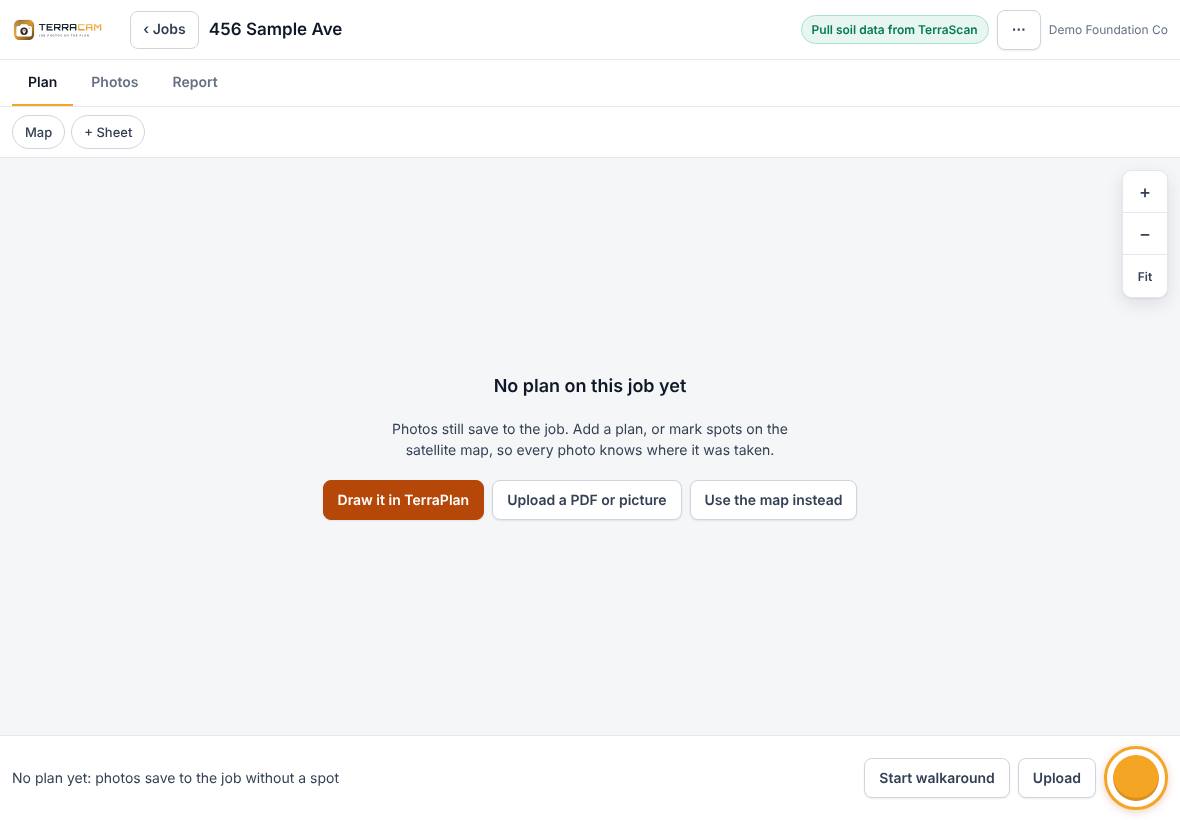
- Draw it in TerraPlan: opens TerraPlan to draw the foundation. In TerraPlan, press Photos to send the drawing back to TerraCam. Piers, cracks and readings from the drawing come with it, and you can tap them as photo spots.
- Upload a PDF or picture: pick a PDF or a photo of a plan. If the PDF has more than one page, TerraCam asks which page is the plan.
- Use the map instead: shows the satellite map. Search the address, then tap the map where you stand to mark photo spots.
You can add more sheets later with + Sheet or ⋯ > Add a plan sheet (PDF or picture).
Line up a plan on the map (optional)
If the job has both a plan and the map, open Map and press Put plan on map. Drag the plan onto the house, use Turn and Size to match it, then press Done. Spots you tap on the map then show on the plan too. Outline property lets you tap the corners of the lot and press Done.
Rename or delete a job
- ⋯ > Rename job changes the name and customer.
- ⋯ > Delete job deletes the job and all its photos.
If your login doesn't have some of those programs, their work in the job is kept, and so is the job: a message says what was kept. Ask a manager to delete the rest. Crew PIN logins can't delete whole jobs.
Related questions
I opened a job from TerraPlan. Why does it already have a plan?
TerraPlan sends its drawing to TerraCam when you press Photos. The TerraCam job and the TerraPlan plan are the same job.
Thanks for letting us know.
Still need help?
Send us a message and a real person on the Terralox team will get back to you, usually the same business day.