
 Jobs and crew
Find and open jobs
Jobs keeps one folder per address with every drawing, photo job, survey and report for that house, from every Terralox program.
Jobs is your company's work sorted into one folder per house. A folder holds every drawing, photo job, floor survey and property report at that address, whoever did it and whenever. The folders are the same in every Terralox program.
Open Jobs
- Sign in and go to My account.
- Press Jobs by address. (Or press your company's name at the top right and choose Jobs (address folders).)
- You see a list of address folders, newest first. Each row shows how many projects it holds, the homeowner, when it was last updated, its status and which programs have work there.
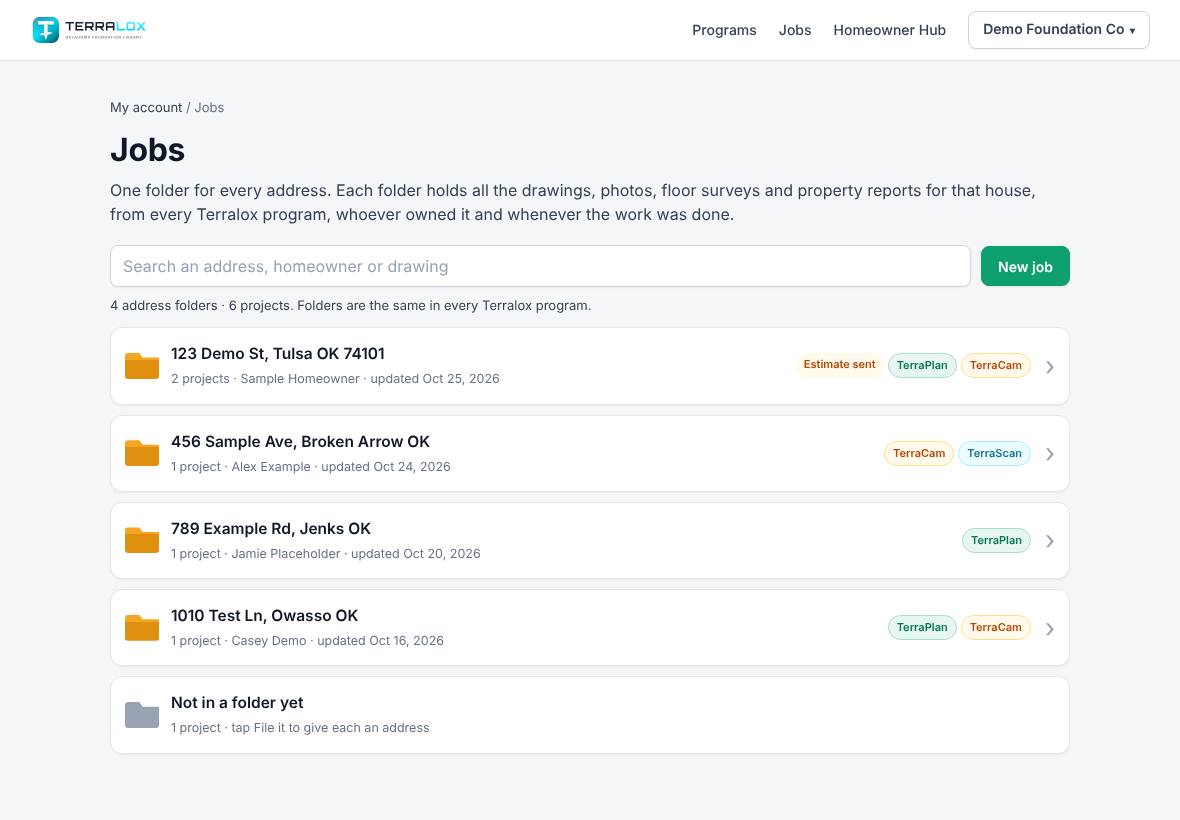
Find a job
- Type in Search an address, homeowner or drawing at the top.
- The list narrows as you type. You can search an address, a customer, a JobTread job number (like 25142) or a JobTread status (like Estimating). Two words both have to match, so "smith 41st" finds Smith's house on 41st.
- Tap a folder to open it.
- Tap ‹ All jobs to go back. The list returns to where you were.
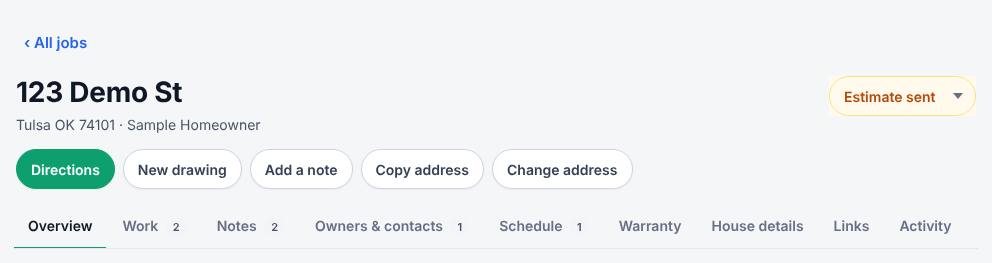
Inside a folder, the buttons across the top let you get Directions, start a New drawing, Add a note, Copy address or Change address. See Inside a job folder for the tabs.
Start a new job
If your company has TerraPlan:
- Press New job next to the search box.
- Start typing the address and pick it from the suggestions.
- Press Save. TerraPlan opens with a new drawing filed under that address.
Jobs that need an address
Work with no house number in its address shows under Needs an address at the bottom of the list. For a JobTread job this usually means JobTread only has the town (like "Claremore, OK, 74019").
- Tap Needs an address to open it.
- Fix the address in JobTread, and the job moves into its house's folder on the next check. Or press File it on a project.
- If you used File it, type the address and press Save. It moves into that house's folder.
To move a project that's in the wrong folder, open the folder's Work tab and press Move on it.
Related questions
Who can see Jobs?
Everyone on your business team who has a Terralox program, including crew PINs. Free accounts see a note to sign in with a business account.
I don't see a New job button
New job is for companies with TerraPlan. You can still open folders and add notes.
Can I use Jobs without signal?
You can look. The list shows the copy saved on your device. Changes need signal. See Work offline and sync.
Thanks for letting us know.
Still need help?
Send us a message and a real person on the Terralox team will get back to you, usually the same business day.