
 TerraBrain
Save answers to a project
Save a TerraBrain answer, or a whole conversation, to a job so your team can find it later.
Found a useful answer about a job? Save it to that job's project. Projects are your company's shared jobs, the same ones you see in TerraPlan, TerraCam and TerraTopo, so everyone on the team can find the answer later.
Save one answer
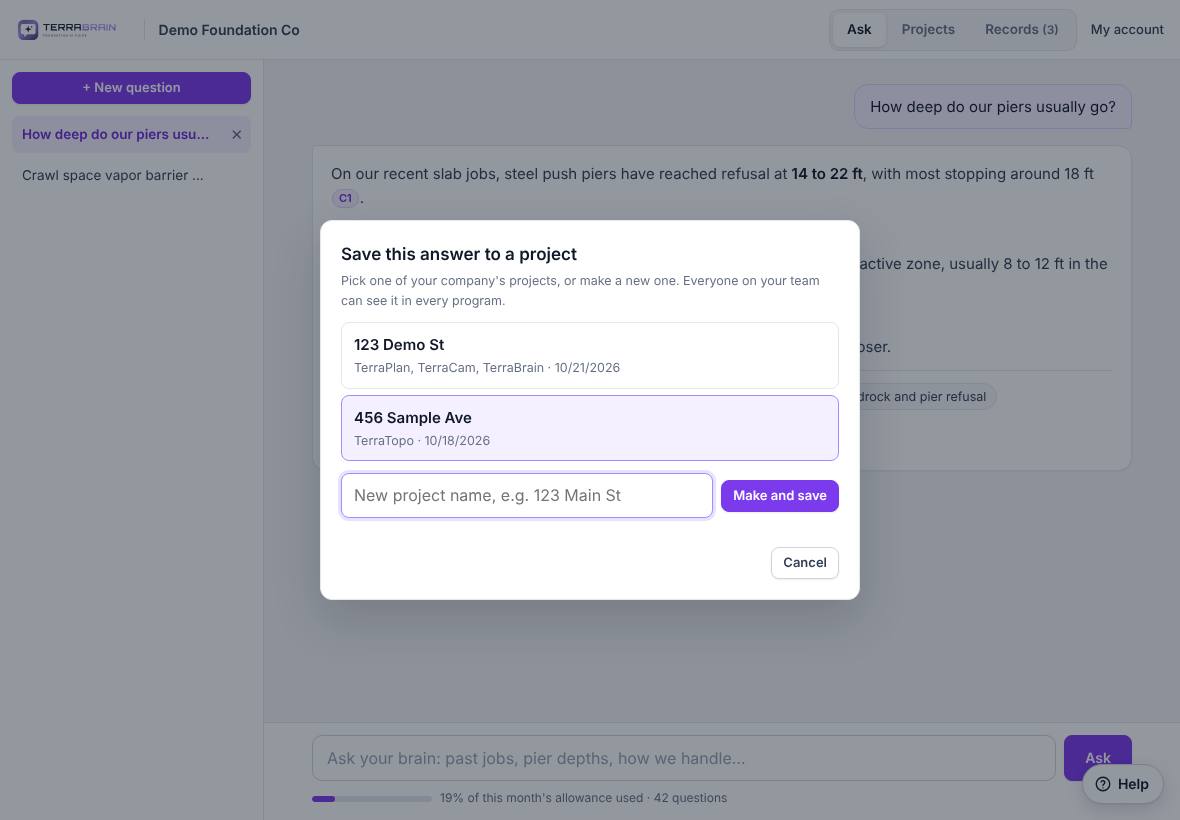
- Under the answer, click Save to project.
- Pick the job from the list. Each one shows which programs have work in it and when it last changed.
- Or type a New project name, for example "123 Demo St", and click Make and save.
- TerraBrain shows "Answer saved to …".
Save a whole conversation
When a conversation has more than one answer, click Save this whole chat to a project at the bottom of it. Each question and answer is added to the project.
Saving adds to the project. It never replaces what someone else saved.
See saved answers
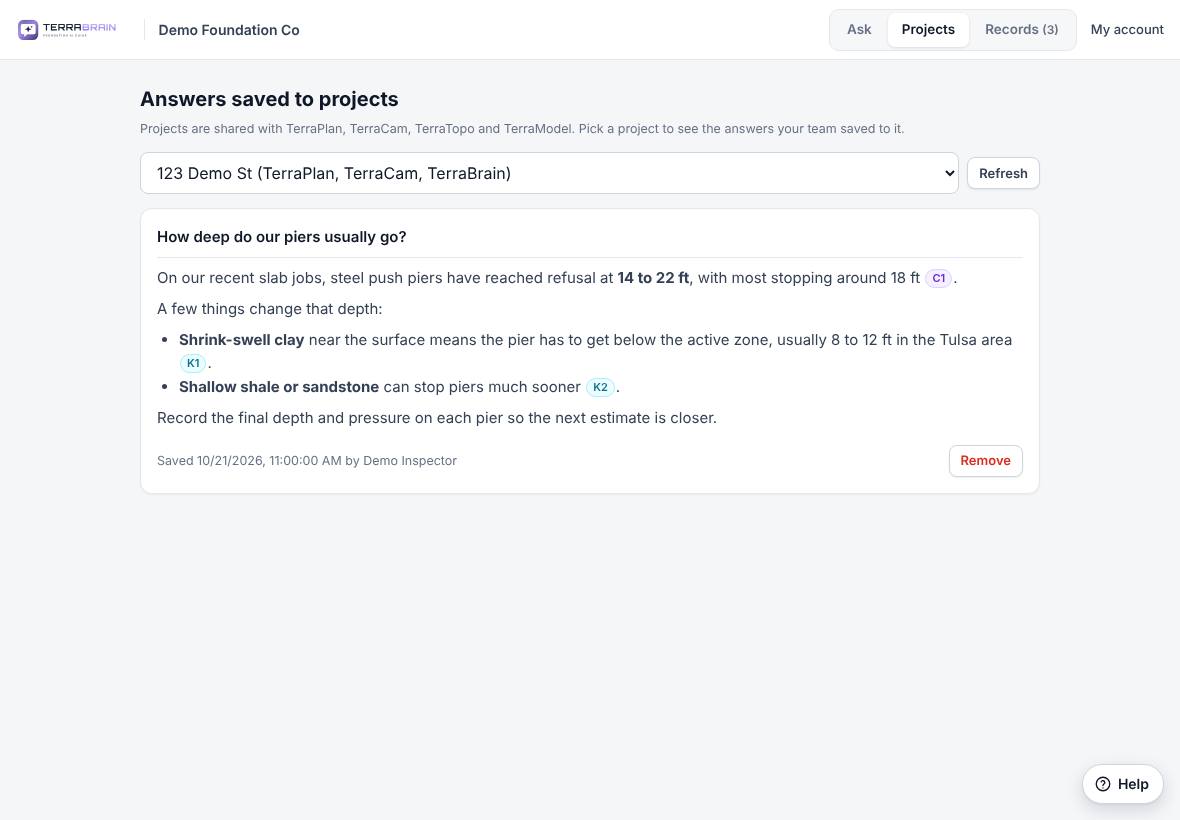
- Click the Projects tab.
- Pick the job from the menu. Only jobs with saved answers are listed.
- Each saved answer shows the question, the answer, when it was saved and who saved it.
- Click Refresh to see answers a teammate just saved.
Remove a saved answer
On the Projects tab, click Remove under the answer and confirm.
Related questions
It says "Saving to projects isn't on your company's plan"
Your company doesn't have project saving turned on. Programs are requested and approved by the Terralox team, so ask them.
Thanks for letting us know.
Still need help?
Send us a message and a real person on the Terralox team will get back to you, usually the same business day.